There is something uniquely satisfying about building a website. Unlike a game that lives on one device, a website is out there, a real thing on the real internet that a child can send to their grandparents, their friends, anyone. "Go to this link, I made it" is a powerful sentence for a young person to be able to say.
Web development is one of the most rewarding and practical areas of coding for kids, and it is more approachable than parents often assume. Your child does not need to be a math prodigy or already know how to code. They need curiosity and a willingness to tinker. Here is what web development actually involves, what your child would build, and how to think about getting them started.
What are the three languages of the web?
Almost every website on earth is built from three core technologies, and they work together like the parts of a house. Understanding this trio makes the whole field click.
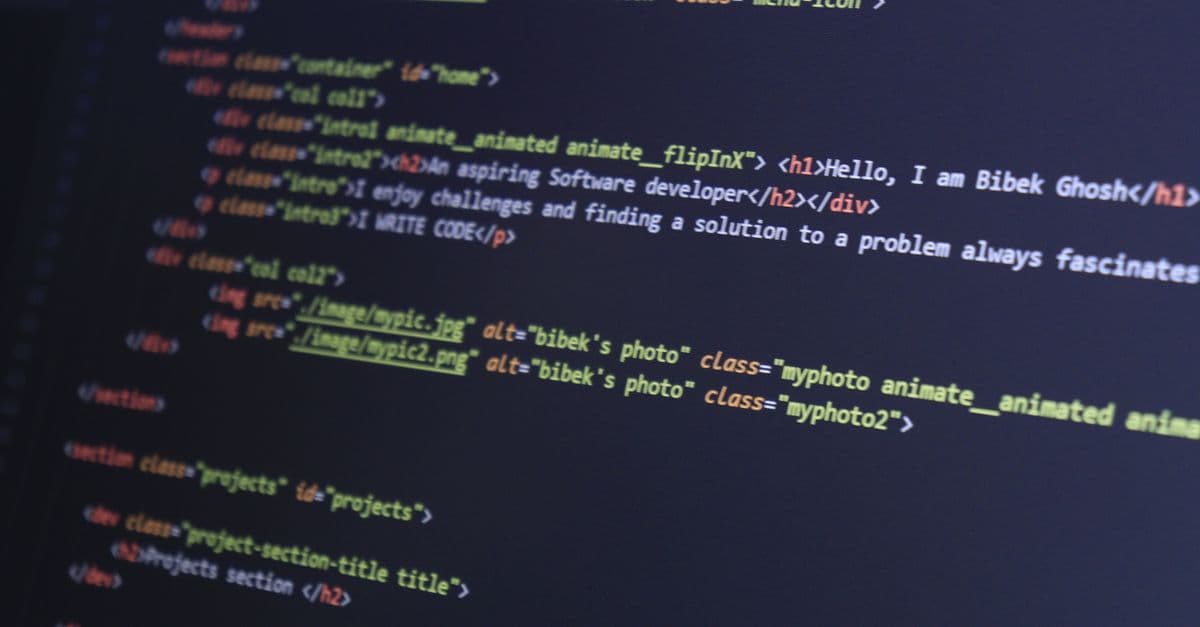
HTML is the structure. It is the bricks and walls. HTML defines what is actually on the page: this is a heading, this is a paragraph, this is an image, this is a link, here is a list. On its own, HTML is plain and unstyled, the bare skeleton of a page, but it is where everything starts. It is also genuinely easy to read, which makes it a wonderful first thing for kids to type. Here is a small piece of it:
<h1>My Pet Hamster</h1>
<p>This is a website all about my hamster, Nibbles.</p>
You can practically read that out loud and know what it does. That gentle readability is why HTML is such a friendly entry point.
CSS is the style. It is the paint, the decoration, the design. CSS takes the bare HTML structure and makes it beautiful: colors, fonts, spacing, layout, backgrounds, the whole look and feel. This is the part many kids fall in love with, because it is where their personality comes through. Changing a heading to bright purple or giving a page a sunset background is instant, visible, and fun.
JavaScript is the behavior. It is what makes a website do things rather than just sit there. Buttons that respond when clicked, content that changes, simple games, forms that react, animations. JavaScript is a full programming language and is the most advanced of the three, so it usually comes a little later, once a child is comfortable with HTML and CSS.
The neat thing about this progression is that it eases kids in. They start with structure (HTML), add beauty (CSS), and then add interactivity (JavaScript), with each layer building naturally on the last.
What can a child actually build?
A surprising amount, and the projects feel real, which is the appeal. A first website might be a simple page about themselves, their pet, their favorite team, or a hobby they love. From there, kids can build a fan page for a game or show they are into, a personal profile page, a small photo gallery, a page for a school project, or a tribute page about someone they admire.
As they grow more confident and add JavaScript, the projects get more interesting: a simple quiz, an interactive to-do list, a basic calculator, a page that changes when you click things, even small browser games. The ceiling is high. The same skills, taken far enough, are exactly what professionals use to build real commercial websites.
What makes all of this motivating is that it is genuinely useful and genuinely public. A game in Scratch is fun, but a website feels grown up and consequential, because the internet is where so much of modern life happens. Kids feel that, and it drives them.
What age can kids start web development?
This depends a little on the language. HTML and CSS are accessible from around age nine or ten for most kids, sometimes a bit earlier for keen ones, because while they involve typing, the concepts are concrete and the feedback is immediate. A child changes a color, refreshes the page, and sees the result, which is a fast, satisfying loop that keeps them engaged.
JavaScript, being a full programming language with real logic, is better suited to slightly older kids, often around eleven or twelve and up, ideally once they have some coding experience under their belt, whether from HTML and CSS or from a language like Python. There is nothing wrong with a younger child sticking to HTML and CSS for a good while and adding JavaScript when they are ready.
One practical requirement: web development involves typing real code, so a child who can read and type reasonably comfortably will have a much smoother time than one who is still building those skills. If your child is very young, starting with block-based coding in Scratch first and moving to web development later is often the kinder path.
Is web development a good first kind of coding?
It can be excellent, and here is the honest case for and against.
In its favour, HTML and CSS have one of the fastest reward loops in all of coding. Change something, see it instantly, feel clever. The visual, design-led nature of CSS appeals to creative kids who might not think of themselves as "techy." And building a real, shareable website gives a tangible result that is hard to beat for motivation.
The one caveat is that HTML and CSS by themselves are not full programming. HTML and CSS are about structure and style rather than logic, so a child who only learns those two has not yet met the core programming concepts of loops, conditions, and variables in a deep way. That is not a problem, it is just worth knowing. The real programming thinking arrives with JavaScript, or from pairing web development with a language like Python. Many kids do brilliantly starting with web development for the quick wins and the motivation, then deepening into real logic from there.
How can you support your child if you know nothing about it?
You do not need any web development knowledge to encourage your child, and there is plenty you can do. Be the audience. Ask them to show you what they built and react with genuine interest, because a child who feels their work is seen will keep going. Encourage them to make it personal, since a website about something they love beats a generic exercise every time. And when something looks broken or wrong, resist fixing it and instead ask "what do you think is causing that?", which builds the problem-solving habit that is the whole point.
A child puzzling through it alone, though, will eventually hit something confusing, a tag that will not behave, a layout that refuses to cooperate, and that is the moment many kids stall. Someone who can unstick them quickly keeps the momentum alive.
Frequently asked questions
Do kids need to install anything to build a website? Usually not to start. A child can write HTML and CSS in a free online editor and see the results instantly in the browser, with nothing to download. That low barrier is part of what makes web development such a friendly first area.
How long before a child can build a basic web page? The very basics of HTML and CSS come quickly, often within the first few sessions, because the feedback is immediate and the concepts are concrete. Building something genuinely polished takes longer, but a child can have a simple page they are proud of surprisingly fast.
Is web development or game development better for a child? Neither is better in general, it comes down to what excites your child. A kid who loves design and the idea of a real, shareable site will thrive in web development, while a kid focused on gameplay may prefer game development. Both teach valuable skills.
Can a child build a real website that actually goes online? Yes, and that is a big part of the appeal. Once a site is built, it can be published so anyone can visit it through a link, which gives kids the genuine thrill of putting their creation out into the world.
That is exactly what our live classes provide at MindLeap Academy. We guide kids aged 6 to 16 through building real websites step by step, from their first HTML page to styling it beautifully with CSS and adding interactivity with JavaScript, with a real instructor ready to help the moment they get stuck rather than a video they watch alone. If your child would love to build something they can actually put on the internet and share, you can book a free trial class and let them start on their first website.
See your child light up with code
Book a free 1-on-1 trial class with an expert mentor. No credit card, no commitment.
Book a Free Trial Class