Your child cannot read fluently yet, and most coding apps assume they can. ScratchJr is built for exactly that gap, and the honest answer to whether it is worth installing is yes, for a specific age and a specific stretch of time, and then it stops being the right tool on purpose.
Here is what it actually does, what the research supports, and how to tell when your child has outgrown it rather than just gotten bored with it, because those are two different signals and parents mix them up constantly.
What is ScratchJr?
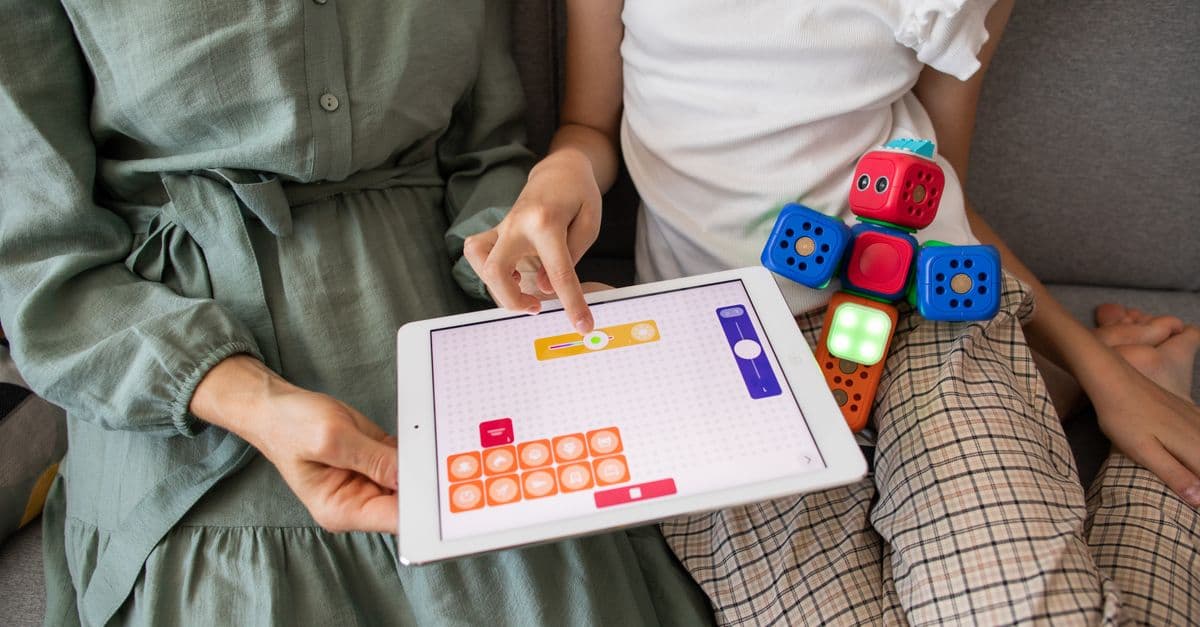
ScratchJr is a free app that lets a child snap together picture-based blocks to make a character move, jump, dance or sing, with no reading required to use it. Children can also paint their own characters, record their own voices, and add photos of themselves into the scenes they build.
It was built by the DevTech Research Group, based at Tufts University and now at Boston College, working with MIT's Lifelong Kindergarten group and the Playful Invention Company, the same lineage behind Scratch itself. ScratchJr launched in 2014 as a deliberately separate, simpler language, "designed, based on evidence from over 20 years of research... to be developmentally appropriate for young children's cognitive, personal, social and emotional growth." It runs free on iPad, Android tablets and Chromebooks.
What age is ScratchJr actually for?
Five to seven, by the developers' own description, and that range is doing real work rather than being a marketing suggestion. ScratchJr's own about page states it is designed for "young children (ages 5-7)," pre-reading and early-reading, which is the entire reason it uses pictures instead of words.
Common Sense Media's review puts the practical starting point slightly later, at six, and flags why: the written instructions inside the app sit "above the reading level of most kindergartners," and the interface has "multiple trays, editors, and input screens" that take a child a while to get comfortable navigating alone. In practice, most four and five year olds need an adult sitting with them for the first few sessions, not because the app is broken, but because working out what each block does is itself part of the learning.
Does it actually teach anything, or is it just play?
It teaches specific, testable thinking skills, and there is a real study that isolated which ones. A 2024 study published in Heliyon ran a three-week classroom intervention with 32 kindergartners aged four to six in Greece, comparing a group using ScratchJr against a control group doing equivalent "unplugged" activities with no screen at all.
The ScratchJr group improved significantly more overall, and the gain was concentrated in three specific ideas: understanding algorithms (sequencing instructions to reach a goal), representation (using a symbol to stand for an action), and grasping that hardware and software are different things. The two groups came out roughly equal on modularity and pattern recognition. Interestingly, the unplugged group actually scored higher on debugging, and the researchers traced this to the test itself: two of the debugging questions used a picture of a seesaw, and the children happened to have real seesaws on their school playground, which gave the unplugged group a head start that had nothing to do with either app.
Two honest caveats before you lean on this. Thirty-two children in one Greek kindergarten over three weeks is a small, short study, and it will not tell you what a year of use does. But it lines up with the developers' own claim rather than contradicting it: ScratchJr moves specific reasoning skills, not general intelligence, and it does that fastest in the areas closest to what the blocks themselves rehearse, sequencing and symbols.
What are the honest limits?
The interface and the reading gap, mostly. A child under six will usually need you next to them at first, and that is not a flaw to work around, it is the app matching its stated audience. Screen time is the other real limit: ScratchJr itself is unlikely to cause harm in short sessions, but it is still a screen, and pairing it with the unplugged, off-screen version of the same ideas, physical sequencing games, building block patterns, is worth doing alongside it rather than instead of it.
It is also genuinely limited in what it can build. One scene, a handful of characters, no variables, no way to combine more than a few conditions. That ceiling is not a bug either. It is the reason a five year old can use it without getting lost, and it is also exactly why it stops being enough once your child is ready for more.
How do you know your child has outgrown ScratchJr?
Watch for frustration with the ceiling, not boredom with the app. A child who has outgrown ScratchJr usually starts asking for something the icons cannot do: a number that changes, a way to make two things happen only if a third thing is true, or a way to share what they made with someone outside the family. ScratchJr has no variables and no online community; sharing happens by email or AirDrop only.
Reading fluency is the other clear signal. Once a child can read comfortably, the picture-block interface that was protecting them from text starts holding them back instead. A comparison from Coderkids puts it plainly: readiness for the next step "depends on individual factors, particularly reading level, maturity, and motivation," not a birthday on its own. Age 7 to 8 is the usual range, but a fluent six year old who is asking pointed questions about how the blocks work underneath is often ready earlier than the guideline suggests.
What is the actual difference between ScratchJr and Scratch?
Words and scale. Scratch uses "words, numbers and more complex thinking processes" instead of icons, supports far more sprites, backdrops and variables, and lets a child build something closer to a real game rather than a short animated scene, as the same Coderkids comparison lays out. It also adds something ScratchJr deliberately leaves out: an online community where kids can share projects, remix each other's work, and get comments, which is a real motivator once a child wants an audience beyond the living room.
Scratch itself states it is for "young people ages 8 and up," which is the mirror image of ScratchJr's 5 to 7, and the two ranges were designed to hand off to each other rather than overlap. If your child has moved past ScratchJr, our comparison of Scratch versus Python for kids is the natural next stop, since it covers where each of those leads once the picture blocks run out of road.
Why doesn't MindLeap teach this age group?
Because we do not, and that is worth saying plainly rather than working around. Our Junior Track starts at age seven, right around the point most children are already outgrowing ScratchJr and moving into full Scratch, then Python, then robotics, across 32 weeks, 64 live classes and 32 projects, with two project options every week so the mentor can match the child. There is no version of this article where recommending ScratchJr for a five year old benefits us commercially, which is exactly why you can take the recommendation at face value.
What should you do once your child is ready for more?
Move to full Scratch first, since it is free, uses the same visual-blocks logic your child already knows, and simply removes the training wheels rather than starting over. If they take to that and start wanting feedback from an actual person rather than just a bigger toolbox, a free trial class is one live session with a mentor, no card details and no commitment, and a good way to see what guided instruction adds that an app, however well designed, cannot.
See your child light up with code
Book a free 1-on-1 trial class with an expert mentor. No credit card, no commitment.
Book a Free Trial Class